Itinerary
An ordered day plan or route as a list of stops, with times and thumbnails. Optionally lets the user drop stops and add them back.
≈ 1,293 tokens per use (tool 589 · guidance 238 · typical payload 466)How token costs are estimated
Example: Itinerary
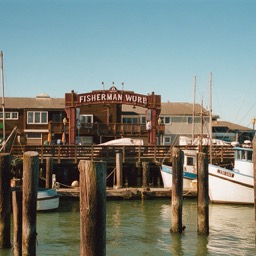
Plan a day in San Francisco.
A day in San Francisco




When to use
- A day plan or route in order: a day in a city, a museum afternoon, a food crawl.
- The user may want to trim the plan. Set
editableso they can drop stops and add them back. - Next to a Map in
itinerarymode: a stop has the same shape, so the host can pass the same stops to both.
When not to use
- Where the stops are matters more than their order. Use the Map, or both with the same stops.
- A trip over several days. Use the map's
itinerarymode, which filters by day. - Steps the user carries out and ticks off. Use a Checklist.
How the agent should use it
- Send stops in visiting order, with a
timeeach when the plan has a schedule ("9:00 AM") and adurationwhen it helps ("1 hr"). - Take places, coordinates and links from a tool result, never from memory.
- Keep
descriptionto one plain fact ("Tower on Telegraph Hill"). No ratings, prices or opening hours that a tool didn't return. - Give each stop a
kindwhen one fits. Without animage, the kind's icon fills the thumbnail. - Mark stops the user asked for with
added. They show a small "Added" tag. - On
change, treat the removed stops as dropped and re-plan the times if the user asks. - Lifecycle: a plan is a snapshot, so none of
expiresAtorfetchedAtis needed. When the agent sends a revised plan, mark the old call superseded by the new one.
Interaction
- With
editable, each stop has a round button at the right: remove (−), then add back (↶). Its label names the stop, e.g. "Remove Coit Tower from the route". - A removed stop stays in place, dimmed and struck through, with a grayscale thumbnail, so it's easy to bring back.
- When something is removed, a footer shows the count ("2 removed") and a Reset button. Changes are announced to screen readers.
- A stop with a
urlhas its name as a link, opened in a new tab. - The list never locks. While streaming, stops fade in one by one and the buttons are disabled until the call finishes.
Installation
npx shadcn@latest add https://your-site.com/r/itinerary.json
Usage
import { tool } from "ai"
import { itineraryTool } from "@/components/genui/itinerary.schema"

const tools = {
  [itineraryTool.name]: tool({
    description: itineraryTool.description,
    inputSchema: itineraryTool.inputSchema,
  }),
}
The plan is useful on its own, so give the tool an execute that returns immediately and send onResult calls to the agent as messages. With editable, it sends change on every remove, add-back or reset, with the full list of removed stops:
{ action: "change", removed: ["coit-tower", "painted-ladies"] }

// After opening a stop's link
{ action: "open", stopId: "golden-gate-bridge" }
Syncing with a map
Pass removed to control the list from the host, for example to hide the same stops on a Map. When set, it wins over the list's own state; update it from change results:
const [removed, setRemoved] = useState<string[]>([])
const kept = stops.filter((s) => !removed.includes(s.id))

<Itinerary
  title="A day in San Francisco"
  stops={stops}
  editable
  removed={removed}
  onResult={(r) => r.action === "change" && setRemoved(r.removed)}
/>
<MapView title="Route" mode="itinerary" stops={kept} />
With LangGraph
Push it from a graph node with ui.push({ name: "show_itinerary", props: { toolCallId, ...args } }, { message }), and render the thread's UI messages with the Renderer.
Restoring from history
When a conversation is reloaded, pass the last stored result back as result. A change result restores the removed stops. The list stays usable, but it never calls onResult again, so nothing is sent twice:
<Itinerary
  {...part.input}
  result={lastResult}
/>
Schema
| Prop | Type | Notes |
|---|---|---|
title | string | e.g. "Your route" |
stops | Stop[] | 1–30, in visiting order. Data-bound |
editable | boolean | Each stop gets a remove / add-back button. Default false |
Stop
| Field | Type | Notes |
|---|---|---|
id | string | Returned in the result |
name | string | |
time | string? | Shown above the name, e.g. "9:00 AM". Up to 16 characters |
duration | string? | Shown in the line under the name, e.g. "1 hr". Up to 16 characters |
description | string? | One line, up to 120 characters |
image | { src, alt }? | Square thumbnail. src is an http(s) or data:image URL |
kind | string? | Icon when there's no image. Same set as the map |
lat, lng | number? | Not shown. Lets the same stop be passed to the map |
url | string? | http(s). The name becomes a link |
added | boolean? | The user asked for this stop. Shows an "Added" tag |
A stop's kind is one of beach, mountain, city, forest, lake, waterfall, harbor, museum, food, hotel, viewpoint or activity, with the same icons as the map's markers. The schema exports them as ITINERARY_STOP_KINDS.
Host props: status (streaming, ready), onResult, result, removed (controlled removed ids) and className.